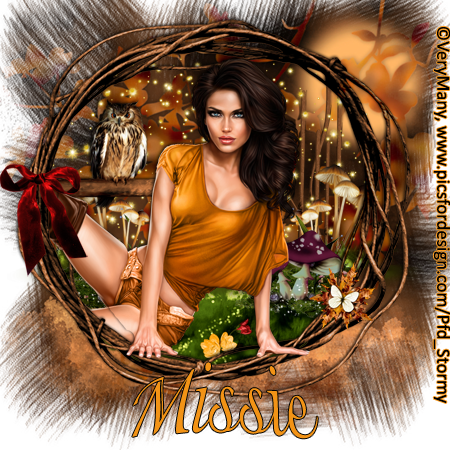
Kit by Heather's Devine Dezigns, PTU: Blissful Fall
The kit can be found at Spazzd Art
Tubes by Verymany and can be found Pics For Design
Saturday, October 19, 2013
Wednesday, October 16, 2013
NOT CT WORK
I was playing around with an old Amy Marie kit last night,
and decided i would finally use one of the PSP Projects tubes
i had gotten a few weeks ago. This is what i came up with.
Love how it turned out, however I was dumb and closed it
before i saved a hard copy. Oopies, things you do in the
middle of the night. But i wanted to share it anyway.
and decided i would finally use one of the PSP Projects tubes
i had gotten a few weeks ago. This is what i came up with.
Love how it turned out, however I was dumb and closed it
before i saved a hard copy. Oopies, things you do in the
middle of the night. But i wanted to share it anyway.
Tuesday, October 15, 2013
CT'd for Bratty Dezinez, PTU: Halloween
Monday, October 14, 2013
CT'd for Heather's Devine Dezigns, PTU: Gangsta Fab 2
Kit by Heather's Devine Dezigns, PTU: Gangsta Fab 2
It can be found here.
Tube by Alex Prihodku, and can be found at Pics For Design
It can be found here.
Tube by Alex Prihodku, and can be found at Pics For Design
CT'd For Jane's Posers, PTU: Kimberly Santa
Brand New!!! LAYERED POSER!!!
By Jane's Posers, PTU: Kimberly Santa
Friday, October 4, 2013
Ct/Tut for KizzedByKelz, PTU: Welcome To My Nightmare
Kit by KizzedByKelz, PTU: Welcome To My Nightmare
Can be found at Pics for Design
Tube by KiwiFireStorm, and can be found at The PSP Project
Can be found at Pics for Design
Tube by KiwiFireStorm, and can be found at The PSP Project
TUT:
Blank canvas 800x800
Paper of choice (I used Paper 12)
Tube of choice
Elements Used:
Blood spatter 2
Bloody hand print
Claws
Crows
Clouds
Flames
Frame2
House
Blood moon
Open blank canvas 800x800
Open background and place it on canvas
Open frame2 and pace centered on canvas so you have space above and blow unused. Use eraser tool if you need to take some of the background off
Open clouds and place in the upper part of your canvas under your frame
Open bloody hand print, resize and place at the upper right of the canvas
Open crows and place towards the right of your canvas so the left part of it is kinda in the center
Open blood moon and resize to desired size, and place in the upper left hand corner
Open house and resize if desired and place in the lower left of the canvas
Open flame2 and place it over house
Use your font to make the "freddy song" and type it centered. Place in the upper left hand corner of the frame
Open claw and resize and place where desired along the bottom of the frame, so it looks like its clawing it
Open a font and type "my nightmare" and place above/over the frame where desired
Open and place tube of choice
Use font for the name as well so they are matching
Typing Wordart Font is "Nightmare 5"
Resize and save!
Ct/Tut for Heather's Devine Dezignes, PTU: Night Of The Dead
Kit by Heather's Devine Dezigns, PTU: Night Of The Dead
SpazzedArt and Pics for Design
Tube by WikiFireStorm, and can be found
http://brain-gibbs.artiswebsites.com/
or http://thepspproject.com
SpazzedArt and Pics for Design
Tube by WikiFireStorm, and can be found
http://brain-gibbs.artiswebsites.com/
or http://thepspproject.com
TUT:
Open blank canvas 800x800
Paper of choice (i used pp 8)
Tube of choice
Elements used:
el 7 - plant
el 39 - blood splater
el 49 - tree branches
el 22 - candles
el 18 - dead tree brush
el 80 - frame
Open blank canvas 800x800
Open and place background where desired
Open and place el 80-frame and move background as needed. You can use eraser tool if you need to take some off the edges of the background to be behind the frame
Open el 39-blood splatter and place in the upper left hand corner under the frame (rotate if desired)
Open and place el 49-tree branches where desired but under the frame
Open and place el 18-dead tree brush near the bottom of the frame where desired but under the frame (rotate if desired)
Open and place tube of choice where desired
Open el 7-plant and place above the frame on the bottom left side
Open el 22-candles and place on the bottom right side of the frame (rotate if desired)
Name font is "Nightmare 5"
Resize and save!
CT'd for KizzedByKelz, PTU: Cover Girl
Kit by KizzedByKelz, PTU: Cover Girl
Her kits can be found at Pics For Design under the name MoodyBrownEyes
First tube by Keith Garvey, PTU: Cara and can be found here.
Second tube by Grafik, PTU: Sonny can be found here.
Her kits can be found at Pics For Design under the name MoodyBrownEyes
First tube by Keith Garvey, PTU: Cara and can be found here.
Second tube by Grafik, PTU: Sonny can be found here.
Wednesday, October 2, 2013
CT/Tut for Bratty Dezinz, PTU: Let's Cheer Blue & Silver
Kit by Bratty Dezinz, PTU: Let's Cheer Blue & Silver and can be found here.
Bratty's blog is here.
Tube by Keith Garvey, GarvGraphx
TUT for top tag only!!
Bratty's blog is here.
Tube by Keith Garvey, GarvGraphx
TUT for top tag only!!
Tube by Barbara Jensen, and her store is http://eroticartistgallery.com
TUT:
Blank canvas 800x800
Paper or Papers of choice
Mash or Masks of choice
Tube of choice
Elements used:
Cheerleader Wordart
Confetti
Frame2
Football
Number_1
Pom_poms
Wordart2
Open blank canvas 800x800
Open mask and paper of choice and merge together and add to your blank canvas
I did this 3 times with the following papers, P_1, P_2 and P_4
Open and place your confetti on top of your mask or masks
Open and place tube of choice where desired
Resize and place frame over your tube and masks
Open frame2 and place around your work, or where desired
Open football and place it on the botton left of frame
Open pom-poms and place where foot ball is under them, dup later, and put it on top of the football, use eraser tool to take away the top layer of the left pom pom
Open and resize number_1 and place to the bottom right of frame
Open and resize cheerleader wordart on top of the frame
Open and resize wordart_2 and place above the cheerleader wordart and the frame
Copy right font is "Calibri"
Name font is "Holiday Home"
Resize and save!
CT/Tut for Heathers Devine Dezignz, PTU: Softer Side of Spring
Kit used by Heather's Devine Dezignz, PTU: Softer Side of Spring
This kit is not in stores yet, but please help yourself to the tut when it is. This post will be redone after it is.
Tube used Barbara Jensen, and can be found here.
This kit is not in stores yet, but please help yourself to the tut when it is. This post will be redone after it is.
Tube used Barbara Jensen, and can be found here.
TUT:
Blank canvas 800x800
Mask of choice
Paper of choice ( i used pp16)
Tube of choice
Elements used:
el 4 - vines
el 23 - blue rose 1
el 28 - blue rose 2
el 36 - blue hearts
el 37 - tall grass
el 43 - grass
el 75 - butterfly
el 70 - fence
el 27 - kittie
Open blank canvas to 800x800
Open mask and paper of choice, merge and add to blank canvas
Open and place el 35 - blue hearts centered on canvas
Open el 70 - the fence and place it near the bottom center of the canvas
Open el 4 - vines and resize and place on the right side of the fence
Open el 37 - tall grass and place to the left of the fence
Open el 43 - grass and place lower than the other elements already placed
Open and resize el 23 - blue rose 1 and place where desired on the vine
Open and resize el 28 - blue rose 2 and place where desired on the vine
Open and resize, and rotate el 75 - butterfly to desired position and place somewhere above the fence
Open and resize and place el 27 - kittie to the left of the canvas on the grass
Copy right font "Cambria"
Name font is "Helalica" (stroke on to black)
Also there is drop shadow on the following items:
el 27 - kittie
el 28 - blue rose 2
el 23 - blue rose 1
Tube of choice
Ct/Tut for Jane721, PTU: Warrior Tamara
Posesr by Jane721, PTU: Warrior Tamara, and can be found at Pics for Deisgn
Jane's blog is here.
Kit by Amy Marie, PTU: Spring Brownie and can be found at Amy's Store
TUT:
Blank canvas 800x800
Mask of choice
Paper of choice
Tube/Poser of choice
Elements used:
1 light tall grass
2 dark tall grass
9 flowers (by tree)
16 tree trunk
15 rocks
18 lake
24 grass
23 leaf grass
66 mushrooms
Open blank canvas 800x800
Open mask of choice and paper of choice and merge together and place on the blank canvas
Place the tree truck, element 16, to the left of screen but not all the way at the bottom
Place your light grass, element 1 towards the right of the tag
Place your dark grass, element 2 towards the left of the tag
Take your lake, element 18 and place it where desired
Use your grass, element 24 and place all around the lake and tree, you might have to move layers around some til its how you want it
Take your leaf grass, element 23 and place near the bottom on top of the grass
Take your flowers, element 9 and place by the tree trunk
Place your mushrooms to the left bottom of the tree trunk, use eraser to get rid of any of the stem you might not want
Place your rocks where desired, i put them near the back side of the lake on the grass
Add copy right in your desired font
Add name in your desired font
Resize and save
Jane's blog is here.
Kit by Amy Marie, PTU: Spring Brownie and can be found at Amy's Store
TUT:
Blank canvas 800x800
Mask of choice
Paper of choice
Tube/Poser of choice
Elements used:
1 light tall grass
2 dark tall grass
9 flowers (by tree)
16 tree trunk
15 rocks
18 lake
24 grass
23 leaf grass
66 mushrooms
Open blank canvas 800x800
Open mask of choice and paper of choice and merge together and place on the blank canvas
Place the tree truck, element 16, to the left of screen but not all the way at the bottom
Place your light grass, element 1 towards the right of the tag
Place your dark grass, element 2 towards the left of the tag
Take your lake, element 18 and place it where desired
Use your grass, element 24 and place all around the lake and tree, you might have to move layers around some til its how you want it
Take your leaf grass, element 23 and place near the bottom on top of the grass
Take your flowers, element 9 and place by the tree trunk
Place your mushrooms to the left bottom of the tree trunk, use eraser to get rid of any of the stem you might not want
Place your rocks where desired, i put them near the back side of the lake on the grass
Add copy right in your desired font
Add name in your desired font
Resize and save
Sunday, September 29, 2013
Ct'd for Heather's Devine Dezigns, PTU: Punky Lil' Emo Star
Kit by Heather's Devine Dezigns, PTU: Punky Lil' Emo Star
Kit can be found at http://picsfordesign.com and http://spazzdart.com
Tube by Barbara Jensen, can be found at http://eroticartistgallery.com
Tube by Verymany, and can be found at http://picsfordesign.com
Kit can be found at http://picsfordesign.com and http://spazzdart.com
Tube by Barbara Jensen, can be found at http://eroticartistgallery.com
Ct'd for Bratty Dezinez, PTU: Black Tears
Kit by Bratty Dezinez, PTU: Black Tears
Kit can be found at Here and Here
Tube by Exclusive, Pics For Design
Kit can be found at Here and Here
Tube by Exclusive, Pics For Design
Poser by Jane's Free Posers, can be foundhttp://dazstudiodesigns.weebly.com She also is at Pics for design
Monday, September 16, 2013
Ct'd Extras for Heather's Devine Dezigns, PTU: When Darkness Falls
Her blog is Heather's Devine Dezigns
Kit can be found here
Tube by Verymany, http://picsfordesign.com
Her blog is Heather's Devine Dezigns
Kit can be found here
Tube by Verymany, http://picsfordesign.com
Tube by Alex Prihodko, also at http://picsfordesign.com
Ct/tut for Heather's Devine Dezigns, PTU: When Darkness Falls
Brand New!!!
Scrapkit by Heather's Devine Dezigns, PTU: When Darkness Falls
Her blog is Heather's Devine Dezigns
Kit can be found here.
Tube by Alex Prihodko, can be found at Picsfordeign
Scrapkit by Heather's Devine Dezigns, PTU: When Darkness Falls
Her blog is Heather's Devine Dezigns
Kit can be found here.
Tube by Alex Prihodko, can be found at Picsfordeign
Tut:
Blank canvas 800x800
Paper
Tube
Elements used:
el 3 candles
el16 spider with web
el17 headstones
el34 spider
el92 frame
Open blank canvas 800x800
Open background of choice (i used pp6)
Open and place the headstones centered near the bottom of the canvas
Open andplace the spider with web centered on canvas
Open and place frame around the entire canvas/tag
Open tube of choice and place where desired
Open and place the single spider (el 34) where i can be seen on the web. this is in case you covered the other one up.
Copy right and name font both are "Aparajita"
Name font i did a inner shadow of a dark red to bring out the name more, at settings of
Distance 4%
Choke 3%
Size 4%
Resize and save!
BONUS SNAG
CT/Tut for Heather's Devine Dezigns, PTU: When Darkness Falls
Brand New!!!
Scrapkit by Heather's Devine Dezigns, PTU: When Darkness Falls
Her blog is Heather's Devine Dezigns
Can be found Here.
Tube is by Exclusive, can be found here Picsfordesign
Scrapkit by Heather's Devine Dezigns, PTU: When Darkness Falls
Her blog is Heather's Devine Dezigns
Can be found Here.
Tube is by Exclusive, can be found here Picsfordesign
Tut:
Blank Canvas 800x800
Mask of choice
Paper of choice
Tube of choice
Elements Used:
el4 - tree branch
el16 spider with web
el 51 left to right electric bolt lookin element
el 53 tree
Open blank canvas 800x800
Open mask and paper of choice (i used paper pp2) and merge and add to blank canvas
Open branch and rotate horizontally and place i the upper left hand corner
Open tree and place in lower left hand corner
Open spider and web and place to fit entire canvas
Open and place the electric bolt left to right near the top
Choose tube and pace to the right of your canvas where desired.
Font for copy right is "Aparajita"
Font for name is "Haunted"
Resize and save!
BONUS SNAG:
Saturday, September 7, 2013
Ct'd for KizzedByKelz, PTU: Steampunkin Roxy
Kit by KizzedByKelz, PTU: Steampunkin Roxy
http://kizzedbykelz,blogspot.com
Tube by Verymany, and both can be found at http://picsfordesign.com
CT/Tut by MissieDawn, http://missiesstormycreationz.blogspot.com
Tut:
Blank canvas 800x800
Mask of choice (i used one i made)
Paper of choice (i used KBKSRP8 2 times, one for mask and one for background of the frame)
Tube of choice (i used steampunk by verymany)
Elements used:
KBKSR1 -chest
KBKSR2 -bird
KBKSR27-frame
KBKSR53-flowers
Open blank canvas
Open mask of choice and paper KBKSRP8 and merge together and place on blank canvas (resize if needed)
Open KBKSRP8 and resize down and place on canvas where desired
Open KBKSR27 and place on top of the background you just placed
Use the eraser tool and remove any unwanted parts of the background around the outside of the frame
Place tube and move it behind the frame
Dupe the tube and place it above the frame
Use eraser tool again and remove any of the tube you do not want (i removed the parts at the bottom)
Open KBKSR1 and place in the empty space to the bottom left of the frame itself
Open KBKSR53 and place between the gears and the chest you just placed
Copy right font "Gabriola"
Name font "Jo_Wrote_A_Lovesong"
Resize and save!
http://kizzedbykelz,blogspot.com
Tube by Verymany, and both can be found at http://picsfordesign.com
CT/Tut by MissieDawn, http://missiesstormycreationz.blogspot.com
Blank canvas 800x800
Mask of choice (i used one i made)
Paper of choice (i used KBKSRP8 2 times, one for mask and one for background of the frame)
Tube of choice (i used steampunk by verymany)
Elements used:
KBKSR1 -chest
KBKSR2 -bird
KBKSR27-frame
KBKSR53-flowers
Open blank canvas
Open mask of choice and paper KBKSRP8 and merge together and place on blank canvas (resize if needed)
Open KBKSRP8 and resize down and place on canvas where desired
Open KBKSR27 and place on top of the background you just placed
Use the eraser tool and remove any unwanted parts of the background around the outside of the frame
Place tube and move it behind the frame
Dupe the tube and place it above the frame
Use eraser tool again and remove any of the tube you do not want (i removed the parts at the bottom)
Open KBKSR1 and place in the empty space to the bottom left of the frame itself
Open KBKSR53 and place between the gears and the chest you just placed
Copy right font "Gabriola"
Name font "Jo_Wrote_A_Lovesong"
Resize and save!
Ct'd for Bratty Dezinez, PTU: Sweet Fall
Kit by Bratty Dezinez, PTU: Sweet Fall
http://www.etsy.com/shop/TLKPurrfection
Tube by Exclusive, http://picsfordesign.com
CT/Tut by MissieDawn, http://missiesstormycreationz.blogspot.com
Poser by Jane's Free Posers, http://dazstudiodesigns.weebly.com/index.html
(is inside the kit)
Tut:
Blank canvas 800x800
Paper of choice (i used P_4
Mask of choice (i used one i made)
Tube of choice
Elements used:
Butterfly
Flower_2
Grass (x2)
Tree
Vines
Open blank canvas 800x800
Open mask of choice and paper of choice and merge together into one. Keep the background (the black)
Open Tree and place towards the bottom lefft (but do not go over the mask into the black much (with all elements for this part)
Open flower_2 and rezise and place in the upper right hand corner.
Open grass and put one on each side of the masked image
Open butterfly and place where desired
Open and place the vines where desired, i put them to the middle right of the tag
Open and place where desired the tube of choice and place to the middle left (so you can see the vines good still)
Copy right font is "Aparajita"
Name font is "Gabriola"
Resize and save.
http://www.etsy.com/shop/TLKPurrfection
Tube by Exclusive, http://picsfordesign.com
CT/Tut by MissieDawn, http://missiesstormycreationz.blogspot.com
Poser by Jane's Free Posers, http://dazstudiodesigns.weebly.com/index.html
(is inside the kit)
Tut:
Blank canvas 800x800
Paper of choice (i used P_4
Mask of choice (i used one i made)
Tube of choice
Elements used:
Butterfly
Flower_2
Grass (x2)
Tree
Vines
Open blank canvas 800x800
Open mask of choice and paper of choice and merge together into one. Keep the background (the black)
Open Tree and place towards the bottom lefft (but do not go over the mask into the black much (with all elements for this part)
Open flower_2 and rezise and place in the upper right hand corner.
Open grass and put one on each side of the masked image
Open butterfly and place where desired
Open and place the vines where desired, i put them to the middle right of the tag
Open and place where desired the tube of choice and place to the middle left (so you can see the vines good still)
Copy right font is "Aparajita"
Name font is "Gabriola"
Resize and save.
Monday, September 2, 2013
Kit by Jenny's Designz, PTU: Creepy Cutie
http://jennysdesignz.blogspot.com
Tube by Arthur Crowe, http://www.arthurcrowesfactory.com
CT/Tut by MissieDawn
http://jennysdesignz.blogspot.com
Tube by Arthur Crowe, http://www.arthurcrowesfactory.com
CT/Tut by MissieDawn
Tut:
Blank Canvas 800x800
Paper3
Tube of chocie
Elements:
Frame1
Butterflys
Doodle2
Wordart2
Open blank canvas 800x800
Open and resize to 800x800 and place on your canvas
Open butterflys and place towards the bottom right of your cavas going upward and left
Open doodle2 and place to the bottom left of your canvas
Open tube of choice and place where desired
Open frame1 and resize to fit around your canvas
Open wordart and place on the top of your canvas/frame, centered
Copy right font is "Aparajita"
Name font is "Haunted"
With name font, i did an inner shadow.
Settings of inner shadow:
blend mode-multiply
distance 9px
choke8%
size6px
Resize and save!
Saturday, August 24, 2013
CT'd for Bee-n Creative, Michelle's Myths, PTU: Steampunk Sweetie
Michelle's Myths, PTU: Steampunk Sweetie
http://bee-ncreative4less.com/
Tube used by VeryMany, http://picsfordesign.com
This kit is full of elements I have not seen before. Great for Verymany's Steampunk chick at http://picsfordesign.com. Tons of elements and gives you lots of ideas as soon as you open the file. I have
used alot of steampunk kits, and this one has some new elements and loved working with it.
TUT:
Blank canvas 800x800
Mask of choice
Paper8
Tube of choice
Elements Used:
Butterfly2
Butterfly3
Horse2
WatchGuts8
Open blank canvas 800x800
Open mask of choice and paper of choice and merge together
Open butterfly2 and rotate -25* and place in the upper left hand corner of mask
Open butterfly3 and rotate 25* and place in the upper right hand corner of mask
Open horse 2 and place where desired
Open watchguts8 and place to blend in with the paper
Open tube of choice, resize and place where desired
Copy Right font "Aparajita"
Name font "Hitalica"
Resize and save.
http://bee-ncreative4less.com/
Tube used by VeryMany, http://picsfordesign.com
This kit is full of elements I have not seen before. Great for Verymany's Steampunk chick at http://picsfordesign.com. Tons of elements and gives you lots of ideas as soon as you open the file. I have
used alot of steampunk kits, and this one has some new elements and loved working with it.
TUT:
Blank canvas 800x800
Mask of choice
Paper8
Tube of choice
Elements Used:
Butterfly2
Butterfly3
Horse2
WatchGuts8
Open blank canvas 800x800
Open mask of choice and paper of choice and merge together
Open butterfly2 and rotate -25* and place in the upper left hand corner of mask
Open butterfly3 and rotate 25* and place in the upper right hand corner of mask
Open horse 2 and place where desired
Open watchguts8 and place to blend in with the paper
Open tube of choice, resize and place where desired
Copy Right font "Aparajita"
Name font "Hitalica"
Resize and save.
Subscribe to:
Posts (Atom)


